Category
Services
Client
Year
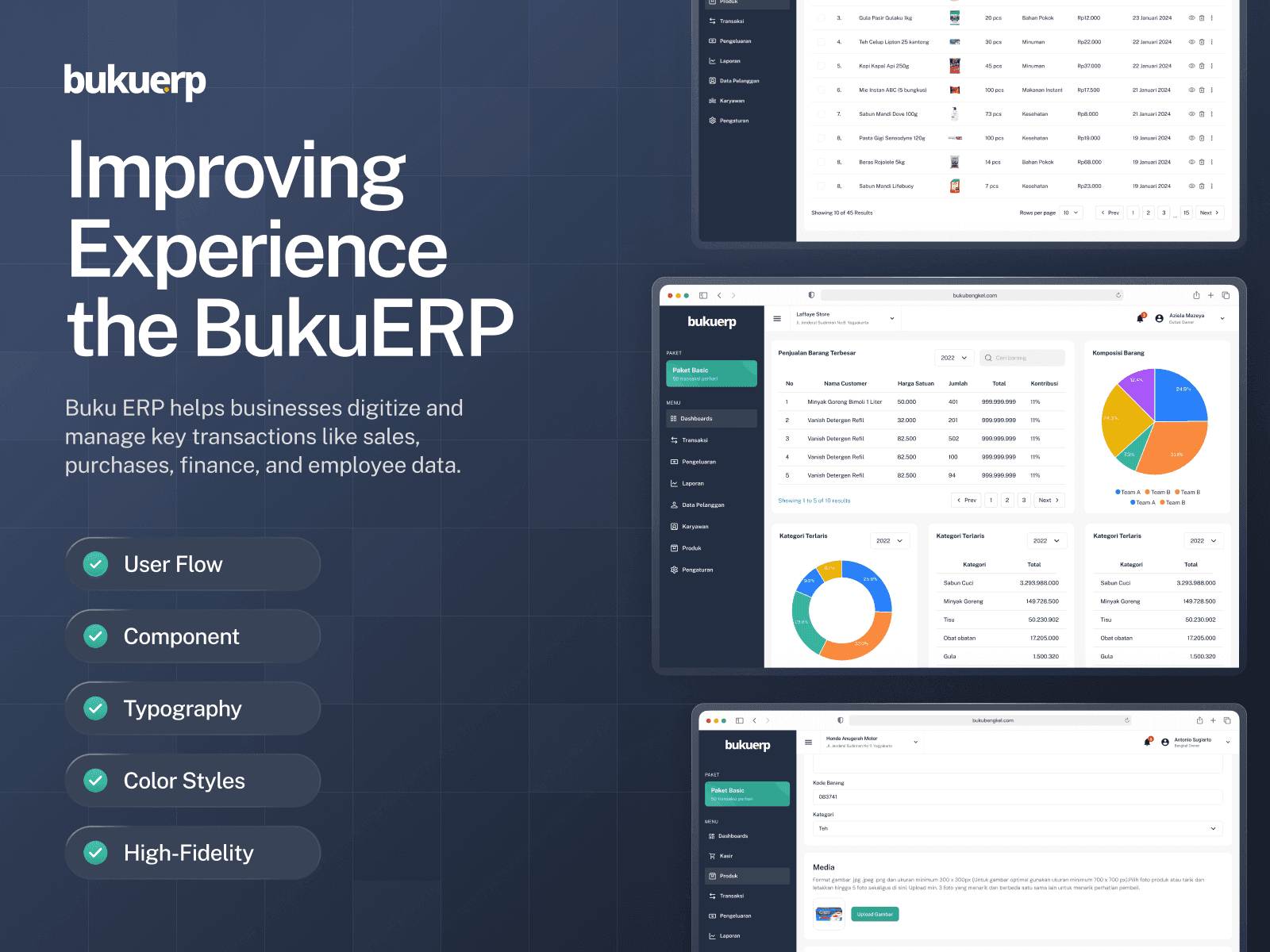
About the App:
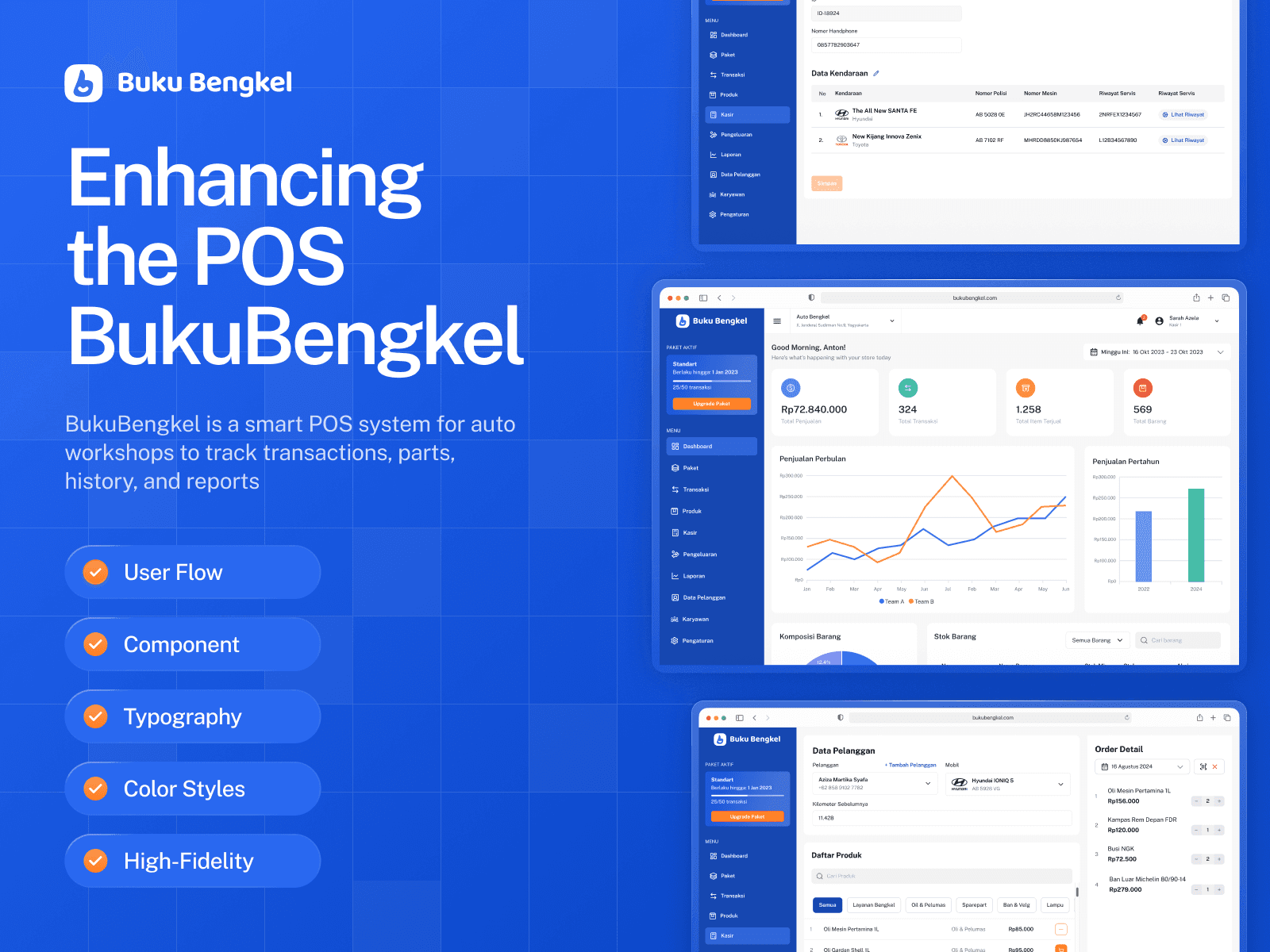
Buku ERP is a software system designed to help businesses digitize and record important transactions, such as sales, purchases, finance, and employee management. With various available modules, Buku ERP simplifies the management of different aspects of business, from procurement to accounting, allowing businesses to operate more efficiently and in an organized manner.
Project Overview & Problem
The primary objective of this project is to enhance the overall user experience. We found that user satisfaction with the previous design was lacking, particularly in the processes of:
1. Payment and transactions
2. Product management
Users reported that these processes were somewhat complicated, prompting us to redesign the dashboard to make it more intuitive and efficient.
Solutions
To address these issues, we redesigned the interface with a more modern and intuitive style, creating a more efficient flow. This approach aims to reduce user confusion and enhance overall satisfaction. We also conducted user research and usability testing to ensure that the proposed solutions meet user needs.
My Role
Research: Conducting research to identify user needs and challenges, ensuring alignment with the target market.
Provide Assets: Mapping the user journey to visualize interactions, key steps, and enhancing the overall user experience.
Wireframe: Creating low-fidelity wireframes to outline the application’s layout before high-fidelity designs.
UI Design: Designing the user interface for desktop and mobile versions, focusing on aesthetics and functionality.
UI Documentation: Developing a design system with typography, components, and color styles for developers.
Usability Testing: Performing usability tests with real users to gather feedback and identify areas for improvement.
Design Process
Discover: User Research, Competitive Analysis.
Define & Ideate: Identifying key issues and brainstorming ideas for solutions.
Design: Wireframe, Style Guide, UI Design.
Testing: Usability Testing, Implementing Feedback.
Timeline
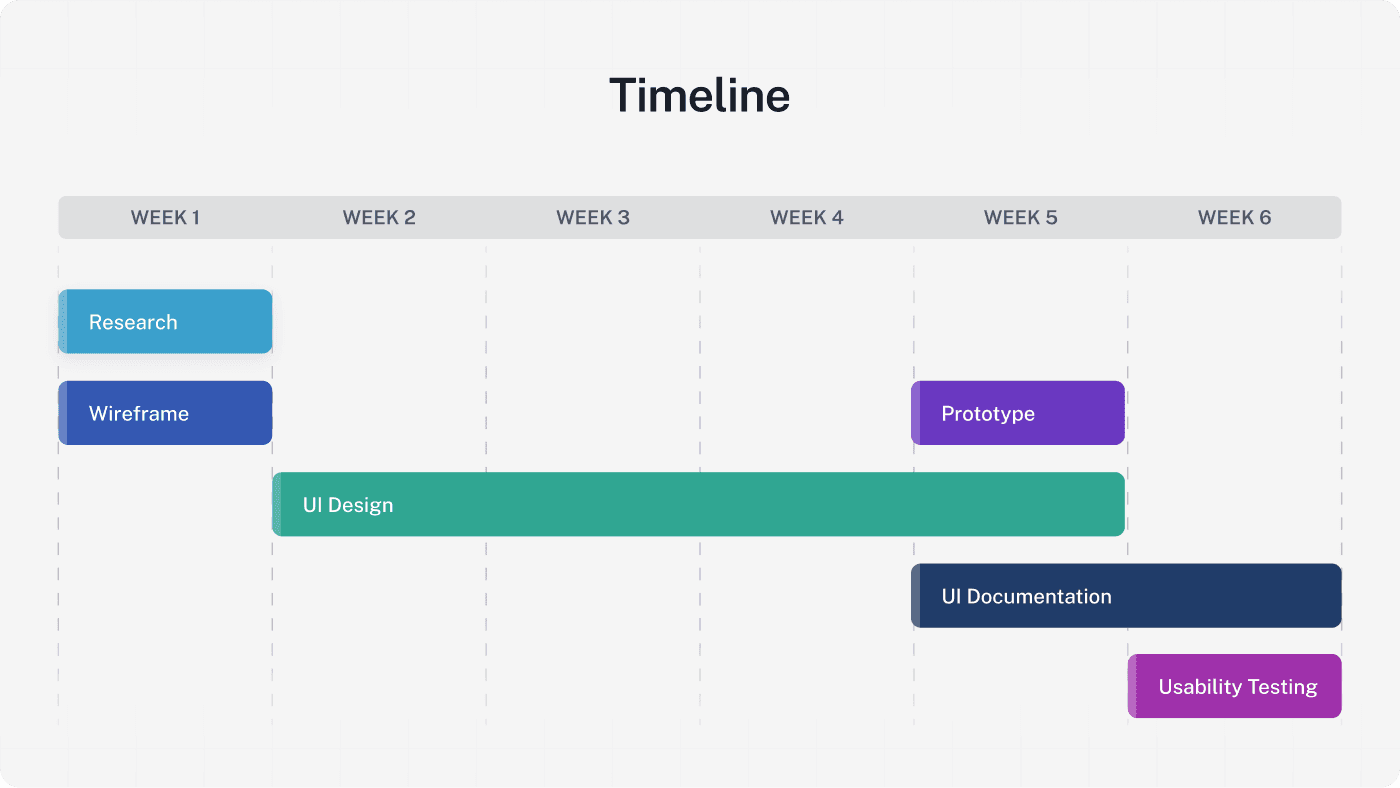
The project timeline spans 6 weeks, utilizing a sprint methodology where each week is dedicated to specific tasks. At the end of each week, we review the progress made in the previous sprint, allowing us to adapt and refine our approach as needed.
User Research:
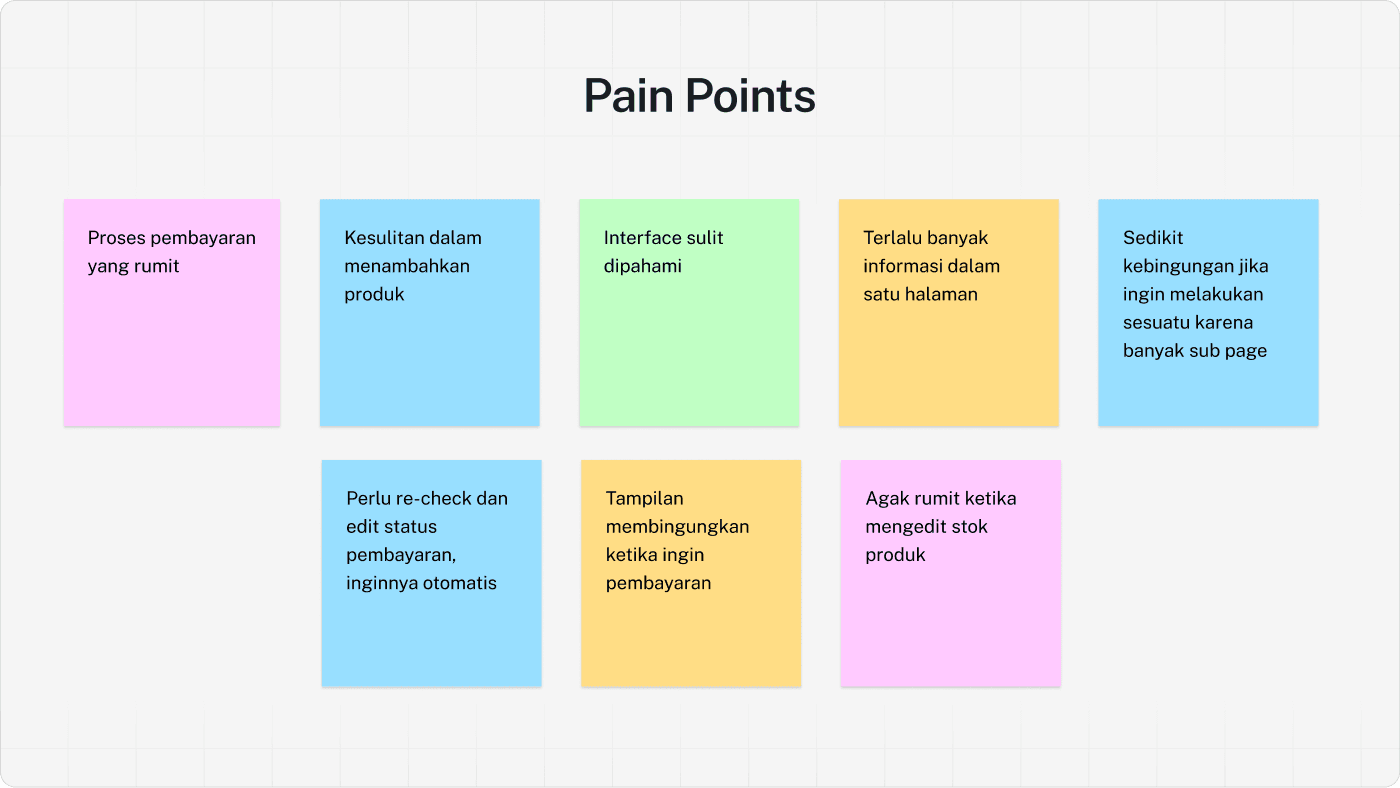
To gain a deeper understanding of user needs and challenges, I conducted in-depth interviews with two active users of BukuERP, who are familiar with its features and functionalities, as well as two store owners who had never used BukuERP before, allowing me to gather insights from both experienced users and potential new users.
The user interviews revealed that the BukuERP system presents several challenges, including a complicated payment process, difficulties in adding products, and a confusing interface.
These issues contribute to user frustration and highlight the need for a more intuitive design that simplifies navigation and enhances overall user experience.
Competitive Analysis
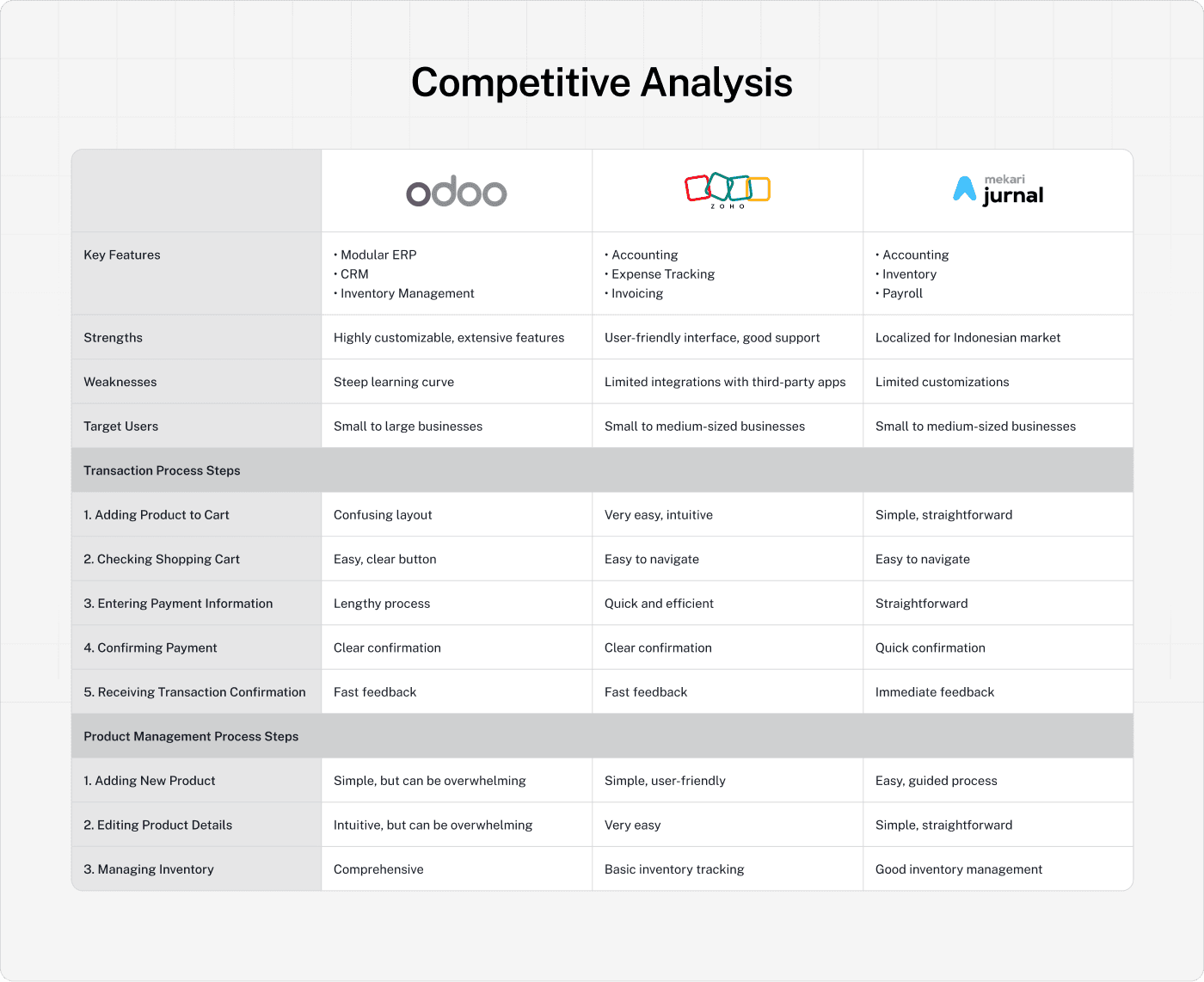
In the development of the BukuERP application, it is crucial to understand our position in the market and how we can better meet user needs. Therefore, we conducted an in-depth competitive analysis of several popular ERP applications in Indonesia, such as Odoo, Zoho Books, and Mekari Jurnal.
This analysis aims to identify key features, strengths, weaknesses, and target users of these competitors. By examining their transaction processes and product management flows, we can gain valuable insights into best practices and potential areas for improvement.
This approach not only helps us design a more intuitive and efficient user experience for Buku ERP but also ensures that our development efforts are feasible and aligned with user expectations.
User Flow
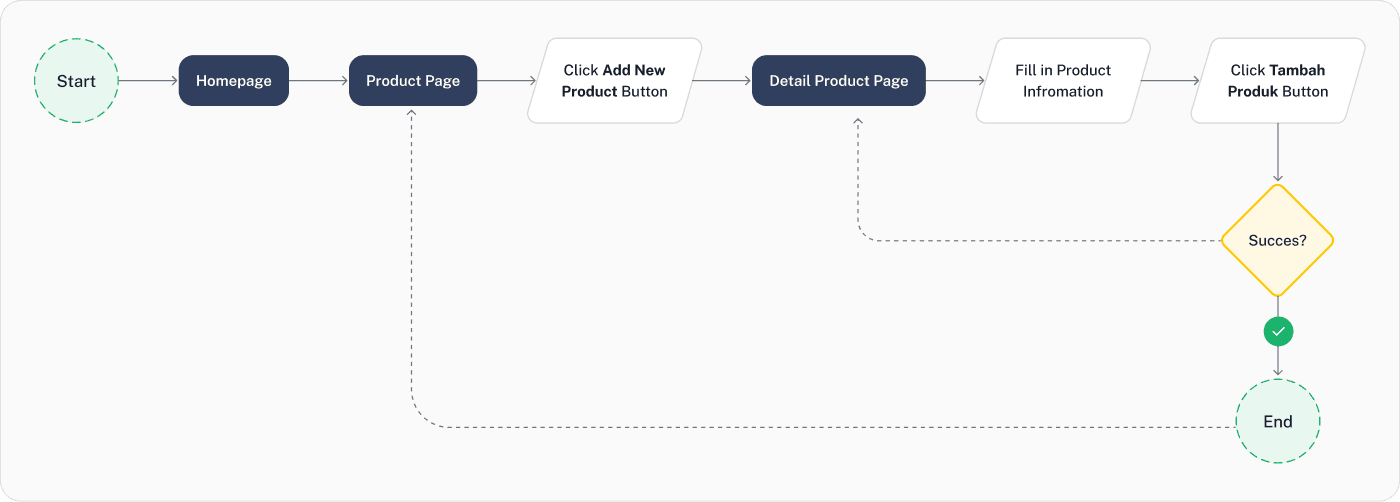
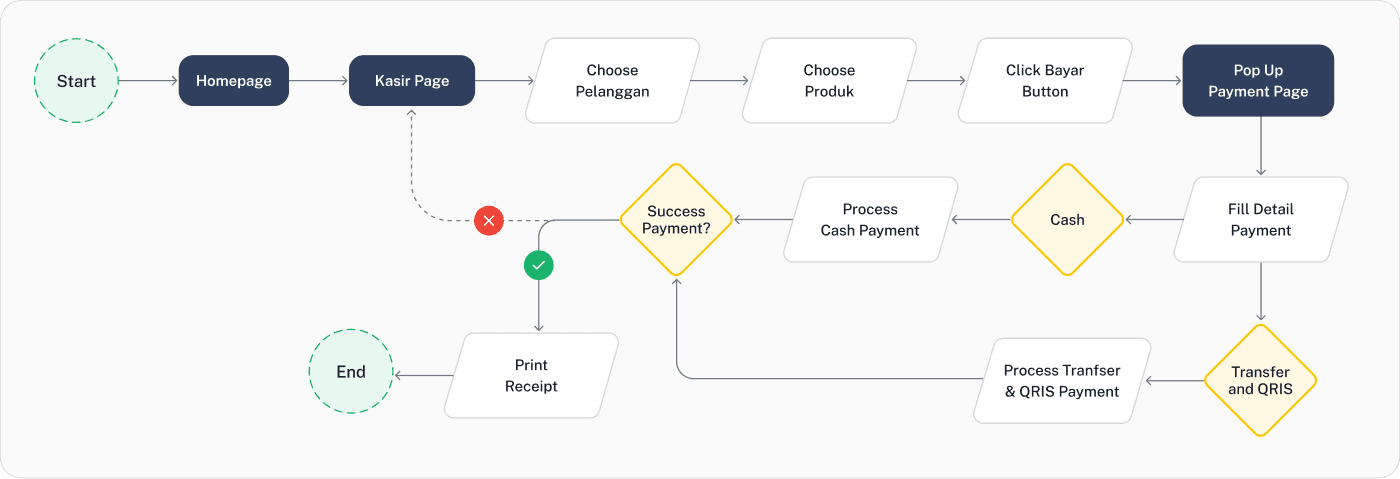
In this section, we present the user flow for adding products and processing transactions. The user flow visually represents the steps a user takes within the application, highlighting key interactions and decision points. This flow is essential for understanding how users navigate through the system and where improvements can be made to enhance their experience.
Flow Add Product:
Flow Transaction and Payment:
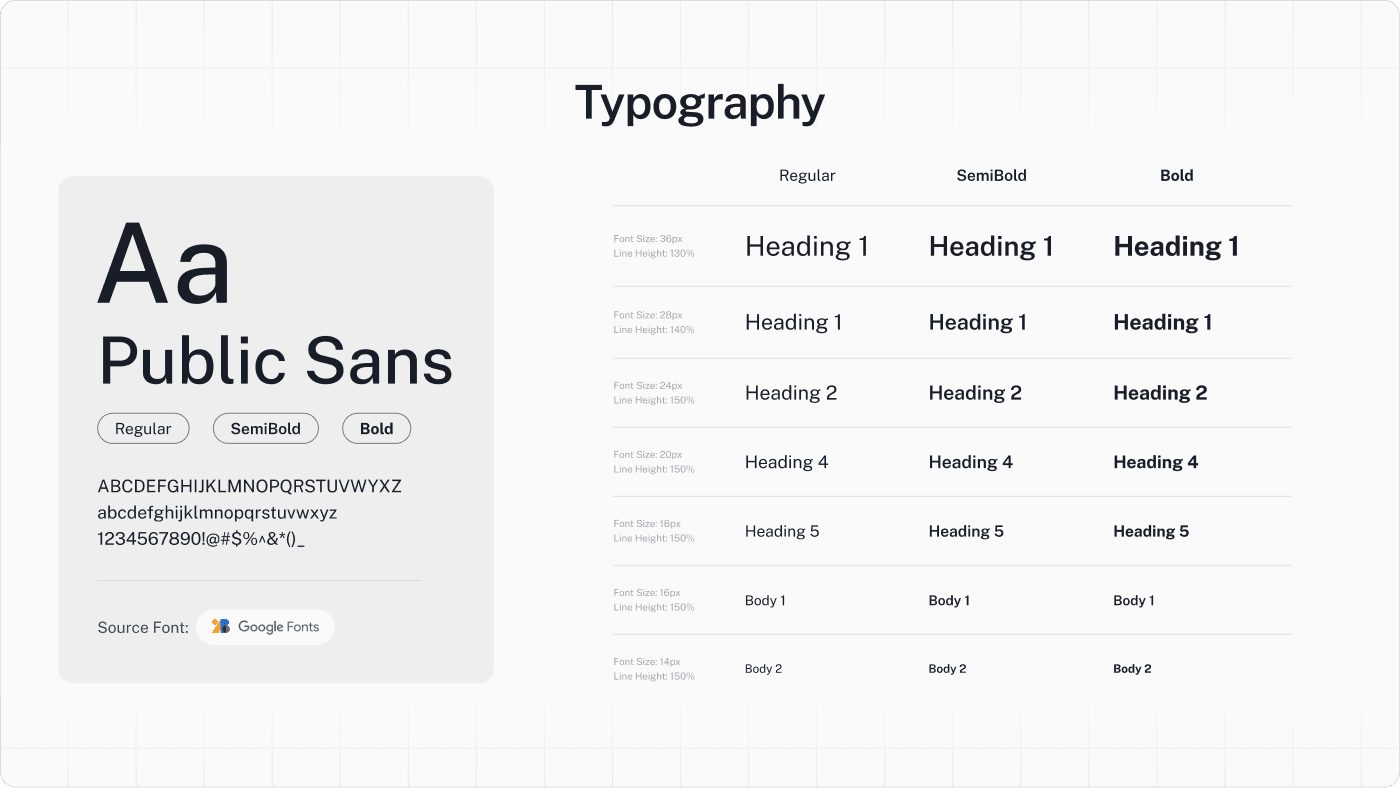
Typography
Using the Public Sans font because it is easy to read, modern, and professional. This font is also open source from Google Fonts, making it easily accessible for developers.
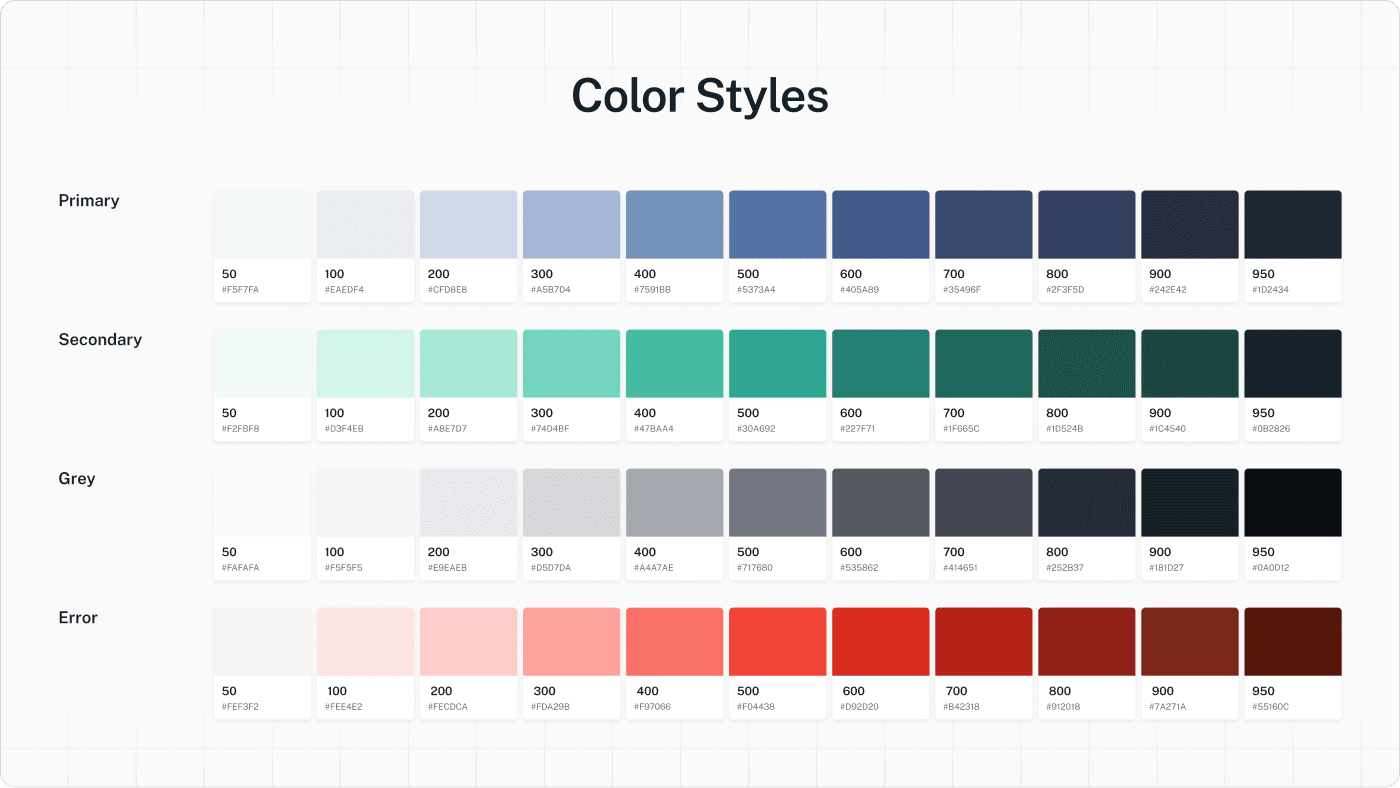
11. Color Styles
Using a modern dark blue as the primary color, which aligns with the brand identity and conveys a professional and trustworthy impression. The color styles for Buku ERP are designed using Tailwind CSS, with color shades ranging from 50 to 900.
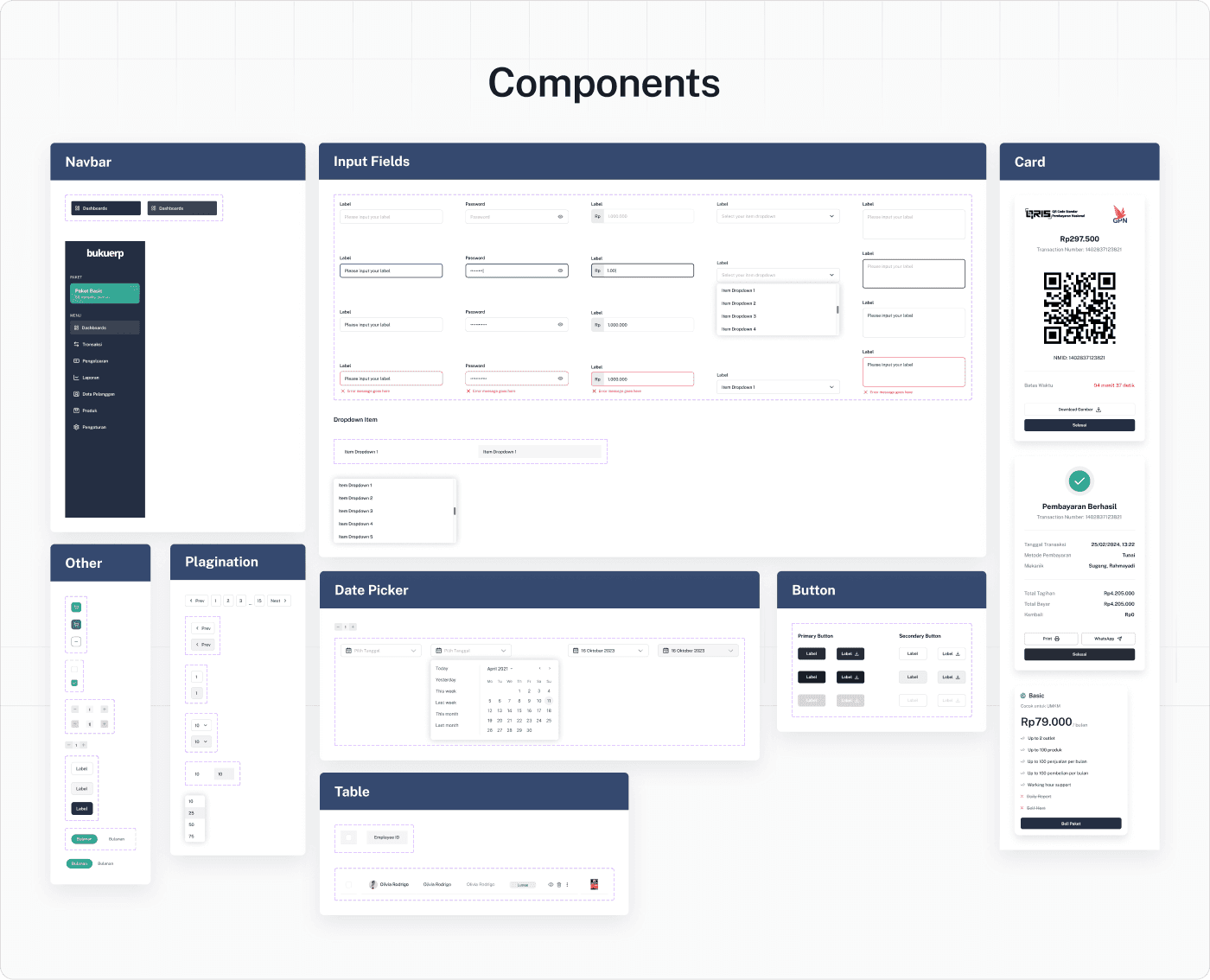
Components
Displays a collection of UI components created, ensuring consistency in design and ease of implementation for developers.
UI Design
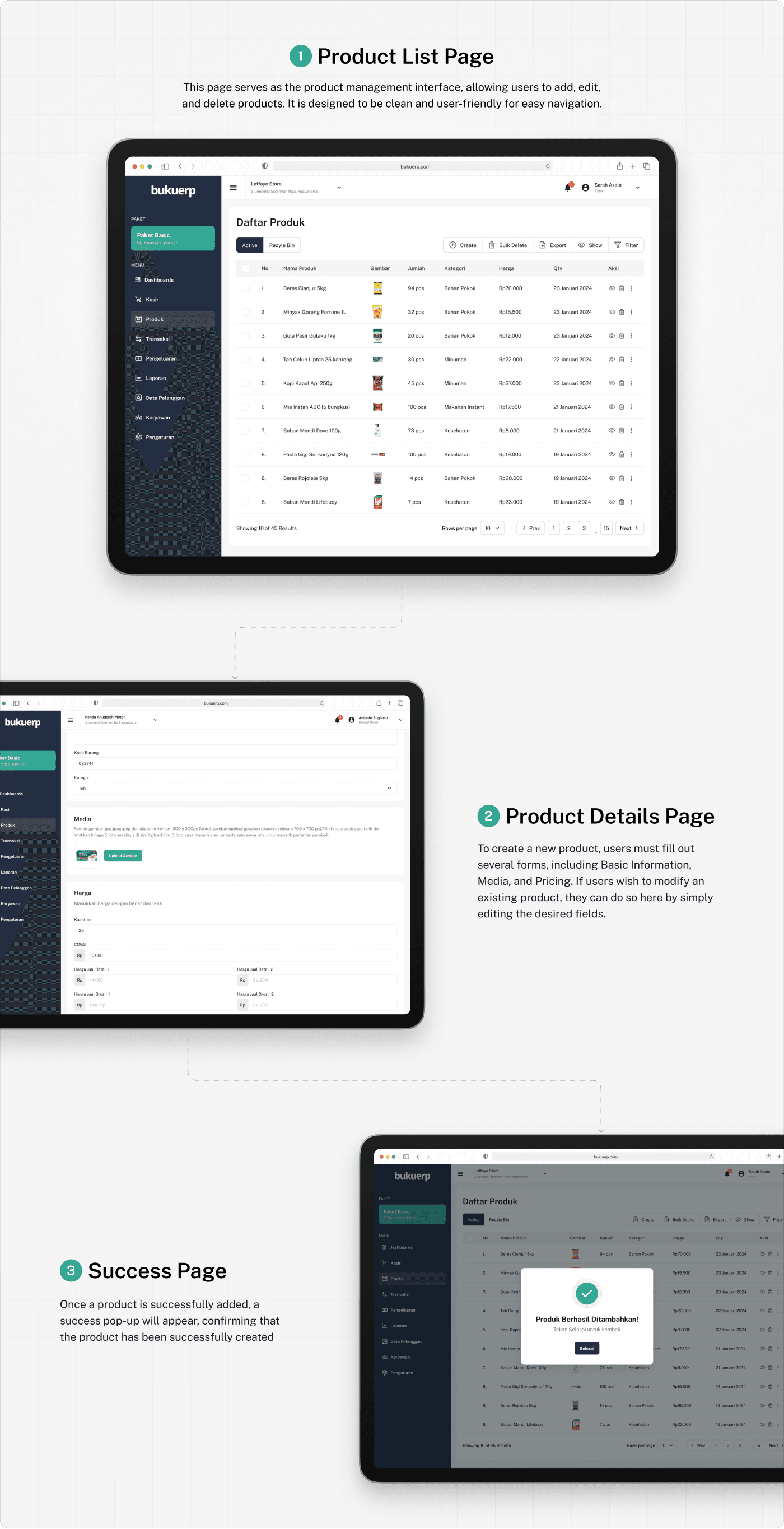
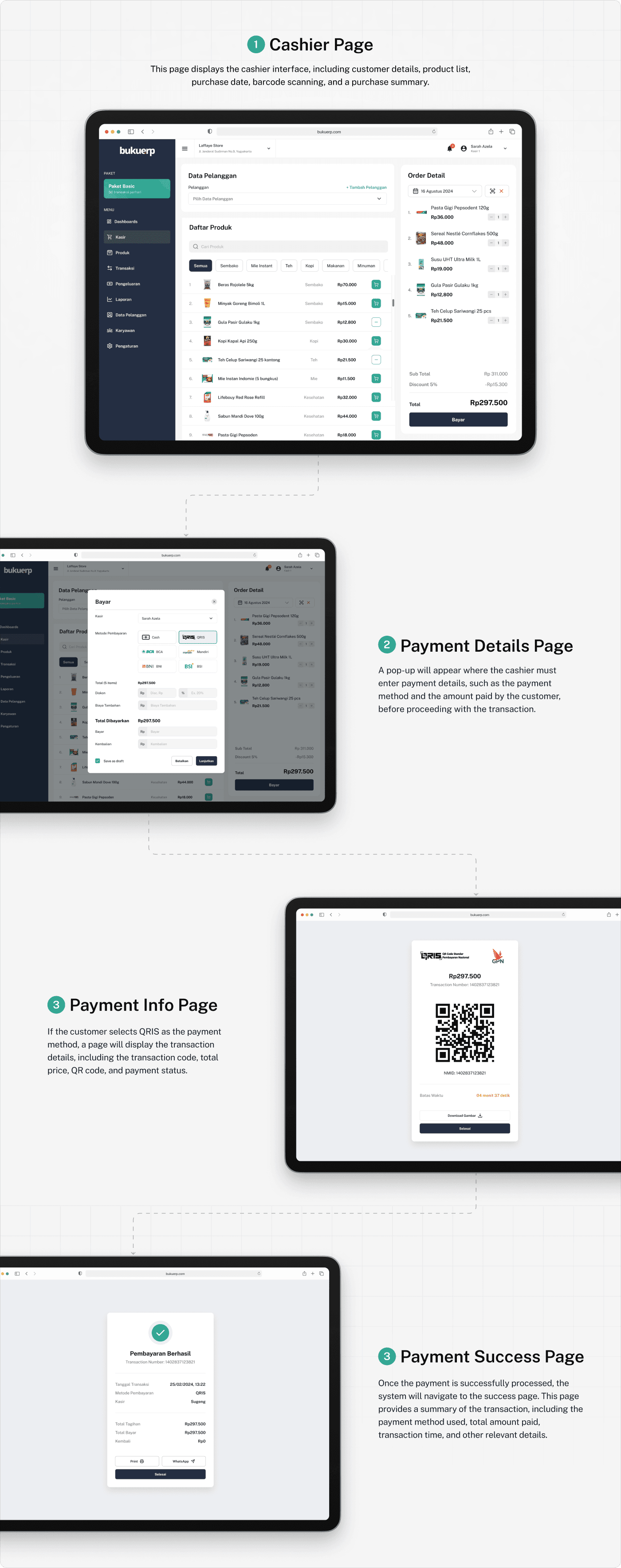
In this section, we present the UI designs developed for Buku ERP. The designs focus on enhancing user experience through intuitive layouts and clear navigation. Each design element has been crafted to ensure usability and aesthetic appeal, aligning with the overall goals of the project.
Flow Add Product:
Flow Add Transaction & Payment
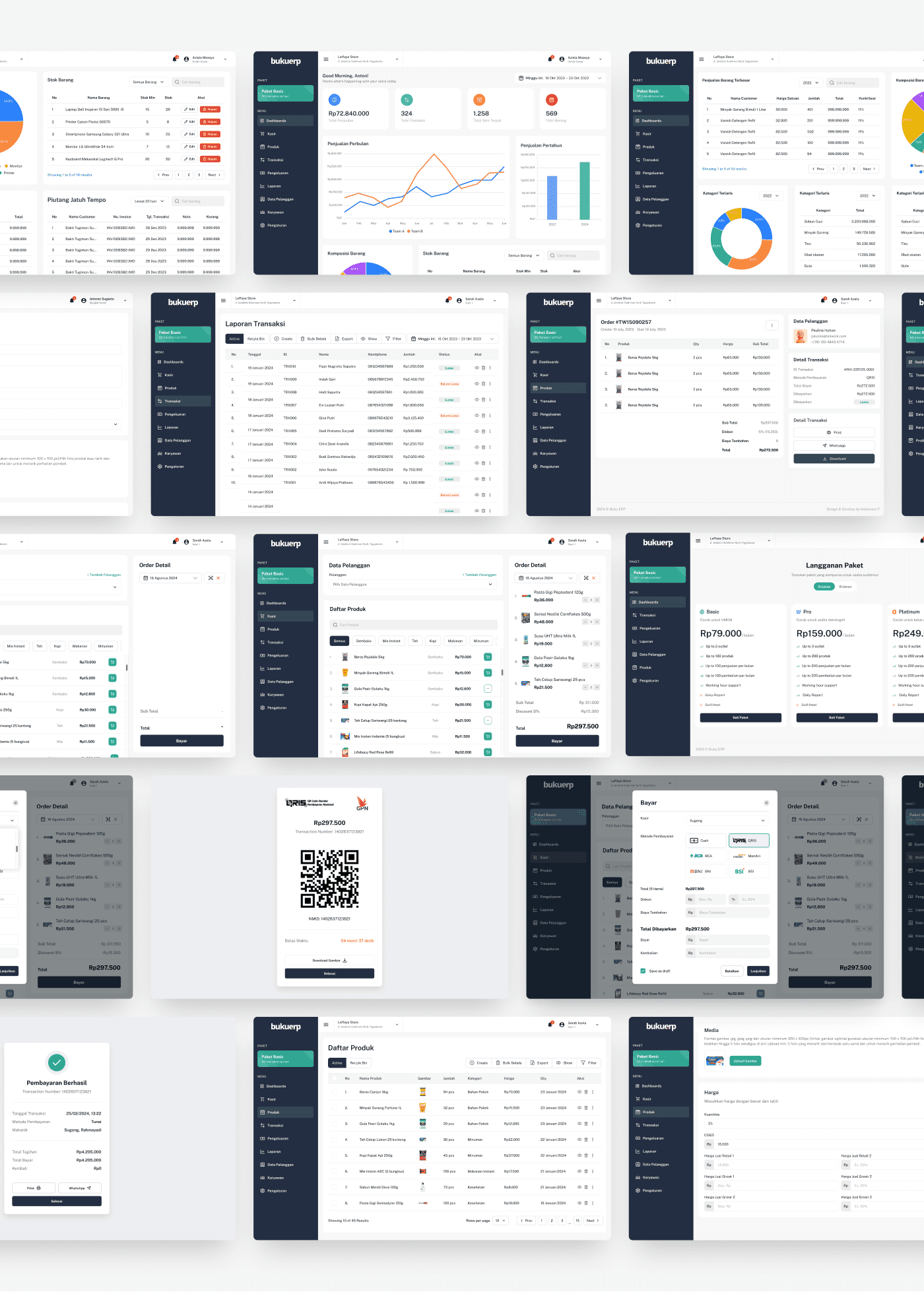
Some other page design results
Validate Design Solution
We conducted usability tests with 5 participants, including both existing users of Buku ERP and potential new users. Each participant was asked to complete specific tasks related to transaction processing and product management while thinking aloud. The sessions were recorded for further analysis.
Key Tasks Tested
Completing a transaction and payment.
Adding a new product to the inventory.
Editing an existing product's details.
Results
The following data summarizes the findings from the usability testing:
Task Completion Rate:
Transaction and Payment: 90% success rate
Adding a New Product: 80% success rate
Editing Product Details: 85% success rate
Average Time on Task:
Transaction and Payment: ±1 minutes
Adding a New Product: ±1 minutes
Editing Product Details: 34 seconds
User Satisfaction Ratings (on a scale of 1 to 5):
Overall Experience: 4.2
Ease of Use: 4.0
Clarity of Instructions: 4.0
. Conclusion and What I Learned
Working on the Buku ERP redesign project was a valuable experience that taught me several key lessons in creating user-focused digital solutions:
Listening to users is essential
User research and usability testing revealed real pain points that shaped the entire design direction.Clarity beats complexity
Simplifying user flows made the system easier to navigate without sacrificing important features.Collaboration drives success
Clear communication and documentation helped align the design with developer needs and business goals.Iteration brings improvement
Testing, gathering feedback, and refining the design continuously led to a more effective final product.
Overall, this project helped me grow not only as a UI/UX designer but also as a problem solver who puts users at the center of every decision.